September in Struct PIM was about getting to the right place faster. Whether it’s signing in, setting up a new colleague’s workspace, or checking the image you need, small detours add up when they happen dozens of times a day.
This month’s updates remove a few of those detours - and give teams more control over how product data is organized.
Here’s a recap of what changed in Struct PIM this month.
New features
Classify variants in categories
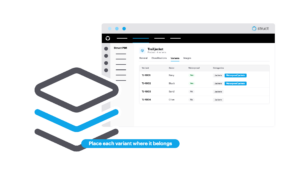
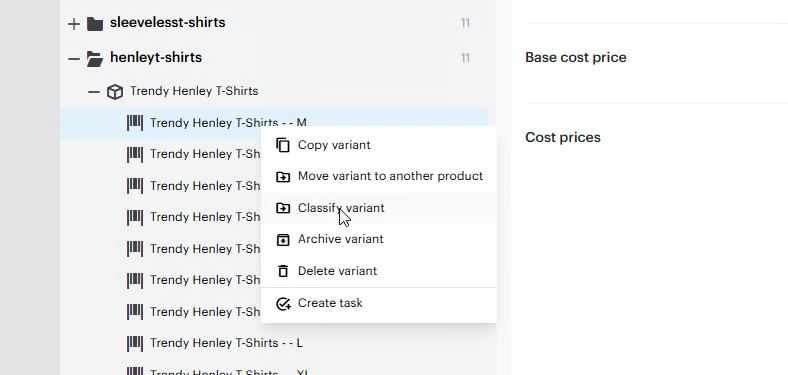
Not every variant belongs in the same place as its parent products. Variants can now be classified directly in categories in Struct PIM.
That gives you more flexibility when category memberships depends on the characteristics of an individual variant - a specific color, size, or material - and not only on the parent product.
Think of a jacket where only the waterproof variants belong in a rainwear category, or a sofa where only certain fabrics fit an outdoor range. Instead of forcing the whole product into a category that only partly fits, you can place each variant where it actually belongs.
The result: more precise category structures and variant-level assortments that reflect what you actually sell.
Federated auto-login with Microsoft Entra ID
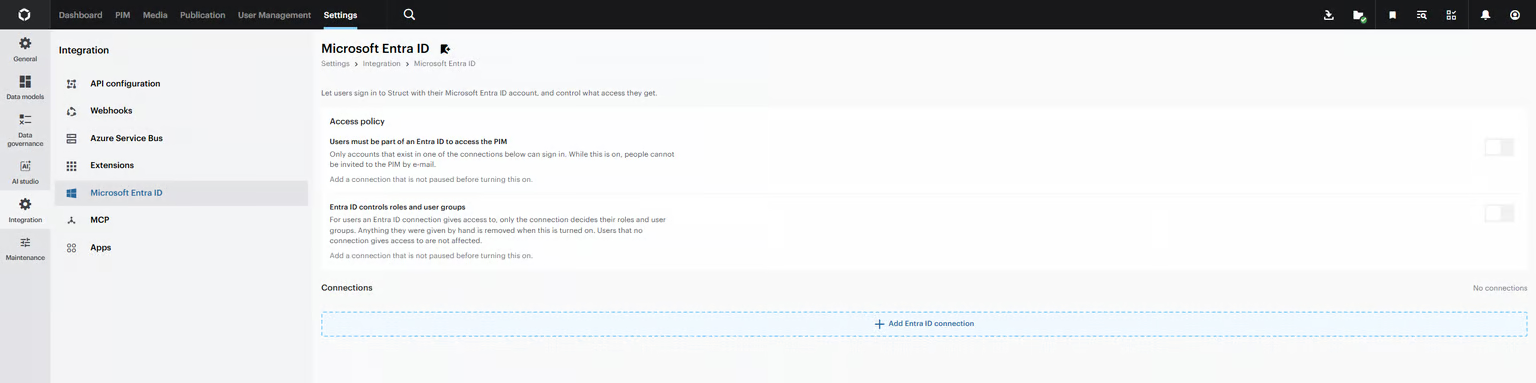
Signing in should be the easiest part of the day. Struct PIM now supports federated auto-login through Microsoft Entra ID.
Users who are already authenticated with Entra ID are signed in to Struct PIM automatically - no extra sign-in step on the way to their product data.
For IT teams, it means access to Struct PIM can follow the identity setup and access policies the organization already manages in Entra ID. For everyone else, it simply means getting to work faster.
Set up your Entra ID connection and access policies by following our guide: How to use Microsoft Entra ID.
Default list configurations for user groups
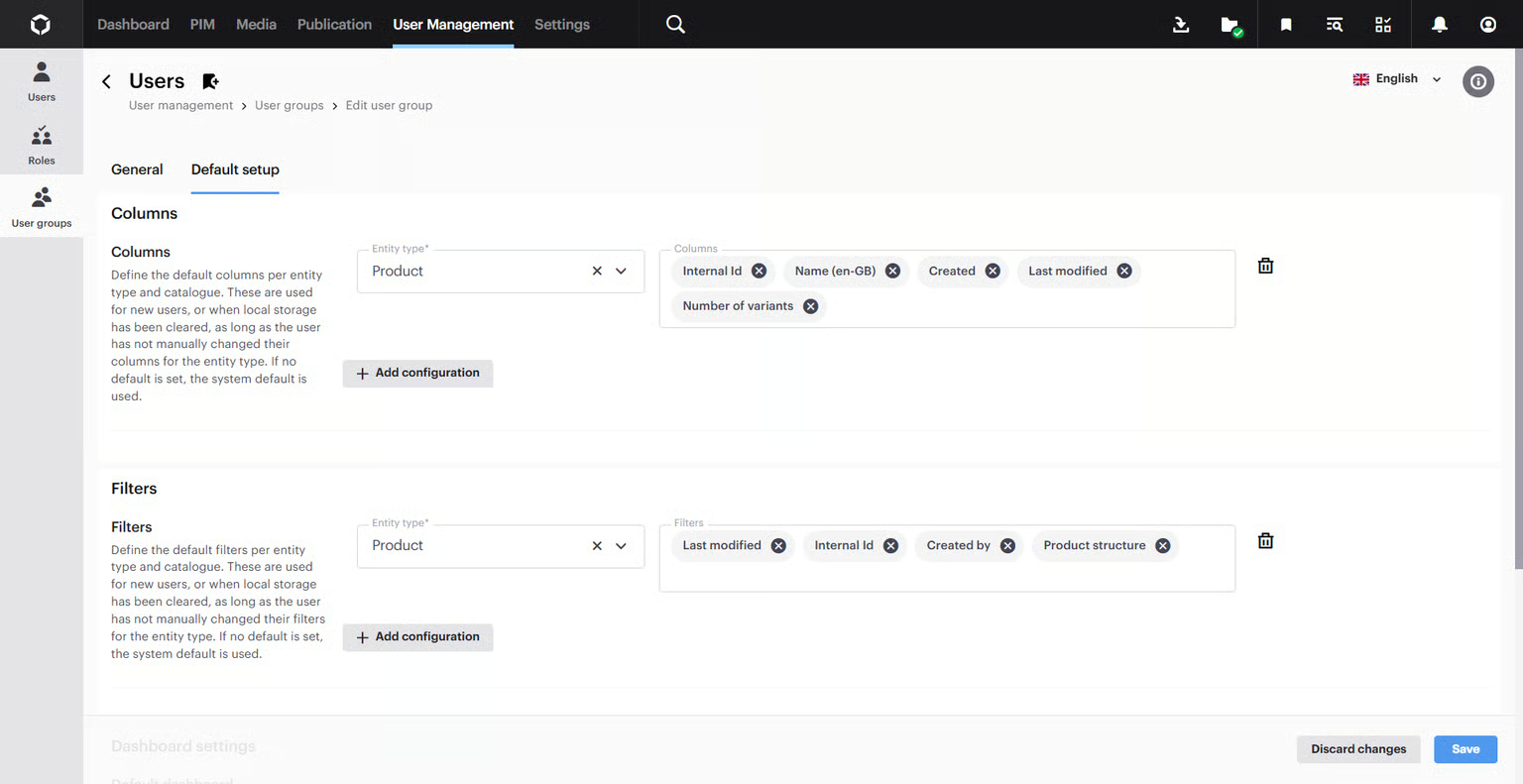
A new user’s first sign-in sets the tone. Administrators can now define default list configurations for each user group, so new users start with the intended list layout from day one.
That means less time spent rebuilding column setups, and a more consistent way of working across colleagues in the same team. Default configurations can also be set for catalogues.
For step-by-step instructions, see: How to set up default list configurations for a user group.
Enhancements
Preview asset by hovering over the image
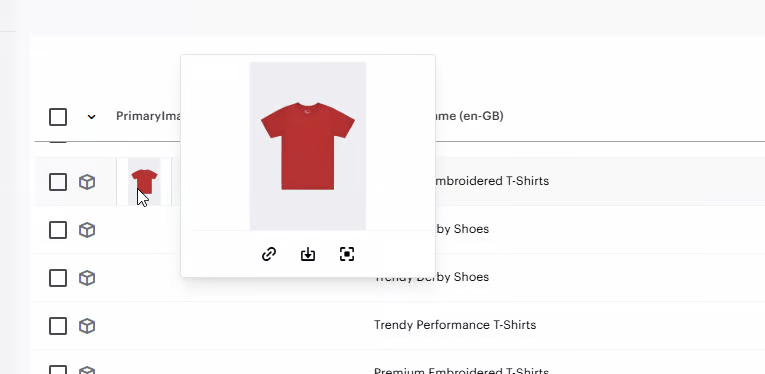
Checking an image shouldn’t mean leaving the table you’re working in. Hover over an image in an entity table, and you can now preview the asset and access quick actions right here.
From the preview, you can maximize the image, download it, or open the asset record. The same quick actions are available when you hover over an entity thumbnail in the Entity editor.
It’s a small change that adds up for anyone reviewing product imagery across large catalogs - a quick visual check no longer costs a context switch.
Other improvements in September
Alongside the larger updates, September brings a set of smaller improvements to everyday work in Struct PIM:
- Shared view settings: Mark a view setting as shared when you create or update it, so colleagues can use the same view.
- Substrings in concatenate actions: Concatenate patterns in Business Rules can now use part of a value, not just the full value.
- HTTP actions in transactions: HTTP actions in Business Rules can now run inside a PIM transaction.
- More precise search: Filters and column searches now use exact matching by default. Add * or ! when you want wildcard matching.
- Find unused assets: A new References system column shows whether an asset is used elsewhere, making it easier to spot candidates for cleanup.
- Copy saved searches: Duplicate an existing saved search instead of building it again from scratch.
- Copy variant groups: Duplicate an existing variant group as a starting point for a new one.
- Clear column searches: Reset a search field quickly with the clear icon at the end of the field.
- Find unused global list values: A new toggle shows only the values that aren't referenced anywhere.
- Select ranges quickly: Hold Shift in list and search views to select a range of entities.
Want the full technical breakdown behind each update? The complete August changelog is available in our documentation.